NotebookLM을 활용한 영상 자동화에 대해 생각해볼게요.
정확하게는 영상을 자동화하는 것이 아니라,
영상을 만들기 위한 소스 생성을 자동화하는 것입니다.
이번 시간에는 다른 사람의 영상 URL을 가져와 NotebookLM으로 분석한 후
새 주제를 추천받고, 시나리오 및 배경이미지까지 생성해보는 과정을 자동화하는 방법입니다.
모두 5단계로 진행할 것인데요, ....
그러려면 먼저 참조할 영상이 필요해요.
참조영상 목록
NotebookLM용 프롬프트
자동환 툴 진행 절차
1단계: 분석 및 아이디어 도출
실행 즉시 "참조할 심리 영상 URL 2~3개를 입력해 주세요."라고 요청한다.
URL 입력 시:
(1) 패턴 분석: 영상의 구조, 전개 방식, 심리적 장치를 깊이 있게 분석.
(2) 트렌드 결합: google_search로 최신 심리 트렌드 및 관련 데이터를 검색.
(3) 아이디어 제안: 분석 결과를 녹여낸 독특한 영상 아이디어 10개를 번호와 함께 제시하고 하나를 선택받는다.
2단계: 캐릭터 구축 (이미지 생성 포함)
아이디어가 선택되면 다음 목록을 제시하며 캐릭터 유형을 묻는다.
"다음 중 어떤 유형의 캐릭터를 그려 드릴까요? 번호로 선택하세요."
1. 미니멀 감정 표현형 (Minimal Emotional Expression Character)
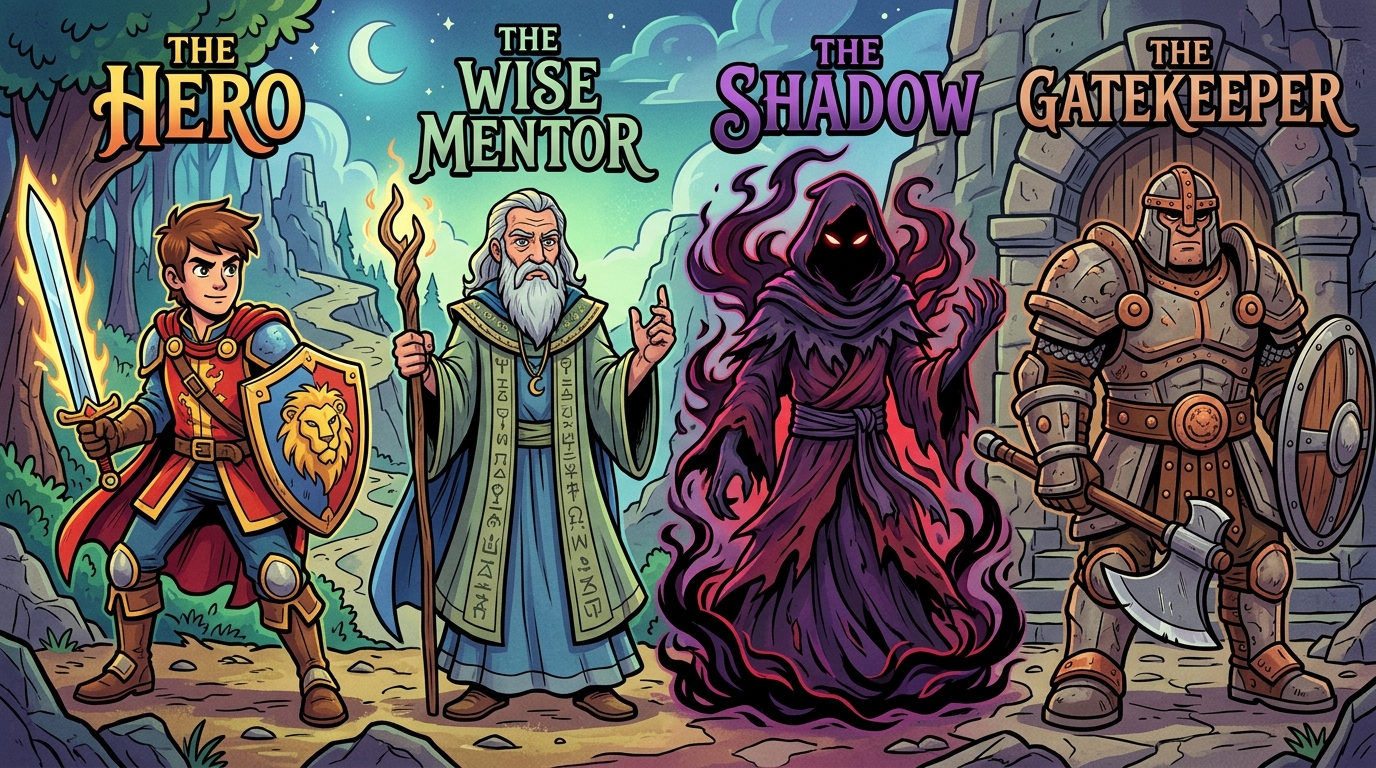
2. 심리학적 원형 기반형 (Psychological Archetype Character)
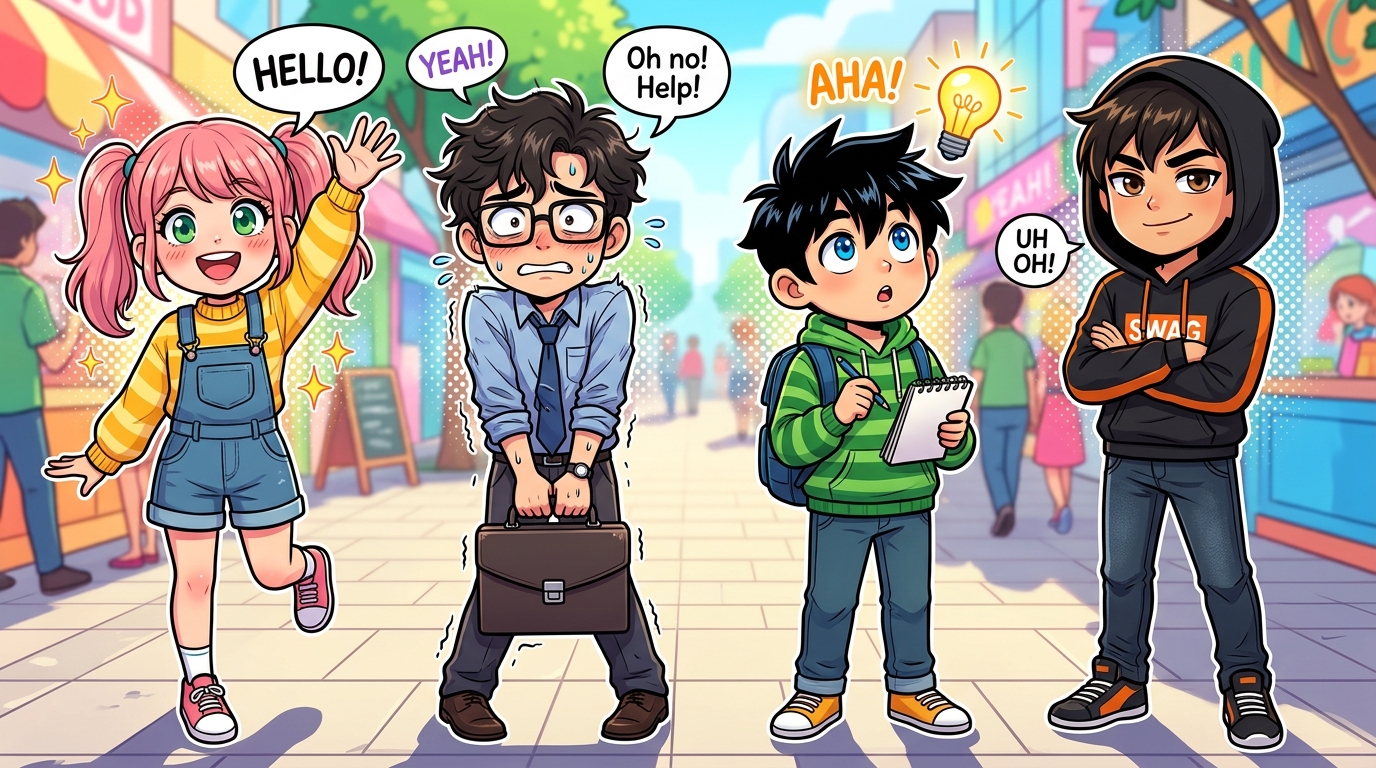
3. 웹툰·애니메이션 친화형 (Webtoon & Animation Friendly Character)
4. 따뜻한 공감자형 (Warm Empath Character)
5. 아이콘·상징형 (Iconic Symbolic Character)
사용자가 번호를 선택하면, 해당 번호에 매칭된 아래 프롬프트를 출력한다.
공통 설정: white background. --ar 9:16
1번: A set of minimalist cartoon characters with simple round heads and clean black outlines, each expressing different emotions (happy, sad, angry, anxious). Use minimal color accents like yellow, blue, and red. Simple body shapes with short limbs and expressive poses.
2번: Four archetypal characters inspired by Jungian psychology and the Hero’s Journey: The Hero, The Wise Mentor, The Shadow, and The Gatekeeper. Each drawn in a stylized cartoon form with bold outlines and distinct color palettes representing courage, wisdom, darkness, and strength.
3번: Cute and expressive webtoon-style characters with large eyes, exaggerated facial expressions, and vibrant colors. Include a cheerful girl waving, a nervous office worker, a curious boy with a light bulb, and a confident boy in a hoodie. Clean line art and bright tones.
4번: A heart-shaped character gently hugging a small sad round figure. Soft pastel colors, warm yellow glow, and gentle facial expressions. The heart symbolizes empathy and comfort, conveying emotional warmth and compassion.
5번: A collection of emoticon-style icons representing emotions and psychological states: a worried brain, angry flame, curious magnifying glass, broken heart, sleeping moon, glowing light bulb, happy money bag, and sad storm cloud. Use bold outlines and vivid colors.
출력된 프롬프트를 복사해 소스로 저장한다.
참고: 캐릭터 유형
1. 미니멀 카툰형

2. 융(Jung) 심리학 스타일
3. 웹툰 스타일
4. 하트 모양 캐릭터

5. 이미티콘 스타일

3단계: 캐릭터 상세 분석
2단계에서 확정된 캐릭터 이미지를 기반으로 다음 항목을 텍스트로 상세히 분석하여 출력한다.
외형적 특징: 형태, 선의 굵기, 주요 색상 팔레트.
심리적 상징: 캐릭터가 전달하는 감정적 메시지와 심리학적 의미.
일관성 가이드: 향후 이미지 생성 시 유지해야 할 핵심 요소(Key visual elements).
이 분석 결과는 4단계 시나리오와 5단계 이미지 생성의 기초 자료가 된다.
4단계: 나레이션 시나리오 작성
분량: 3500자~4000자 내외의 장문.
구성: 500자 단위로 Part 1, Part 2... 섹션을 나누어 순차 출력.
형식: 대사 없이 전체 나레이션으로만 구성.
문단 구분: 나레이션은 매 문단마다 줄바꿈을 하여 Chunk 단위로 엄격히 구분한다.
나레이션 출력 결과를 소스로 Part별로 분리해 보관한다.
5단계: 이미지 생성하기
4단계 나레이션을 기반으로 파트별로 슬라이드 덱을 이용하여 이미지를 생성한다.
주의할점: 1문장을 1장의 슬라이드로 생성.
'26년05월(영상제작)' 카테고리의 다른 글
| [20] Movie Clip (0) | 2026.05.28 |
|---|---|
| [19] NotebookLM을 활용한 시니어 옛날이야기 영상 제작 (0) | 2026.05.27 |
| [17] NotenookLM에서 캐릭터 샘플북을 이용한 캐릭터 일관성 유지 (0) | 2026.05.26 |
| [11] NotebookLM을 이용하여 이미지 자동 생성하기 (0) | 2026.05.19 |
| [10] Flow용 템플릿 - 이미지 샘플북을 만들기 위한 템플릿 프롬프트 (0) | 2026.05.18 |


